The best computer speakers depend on your desk space, preferred connections, and whether you value simple playback, wireless listening, or a separate subwoofer. These eight picks range from compact wired pairs to larger systems, so match the setup and controls to the way you use your computer.
Quick Top Products
Audioengine A2+ Wireless

- Compact powered speakers are designed for nearfield desktop listening.
- USB-C connects through an integrated 24-bit DAC.
- Bluetooth 5.3 aptX-HD, RCA, and 3.5mm AUX provide wireless and wired choices.
Best For: A tidy desktop setup for listeners who want Bluetooth and several wired inputs.

SteelSeries Arena 7
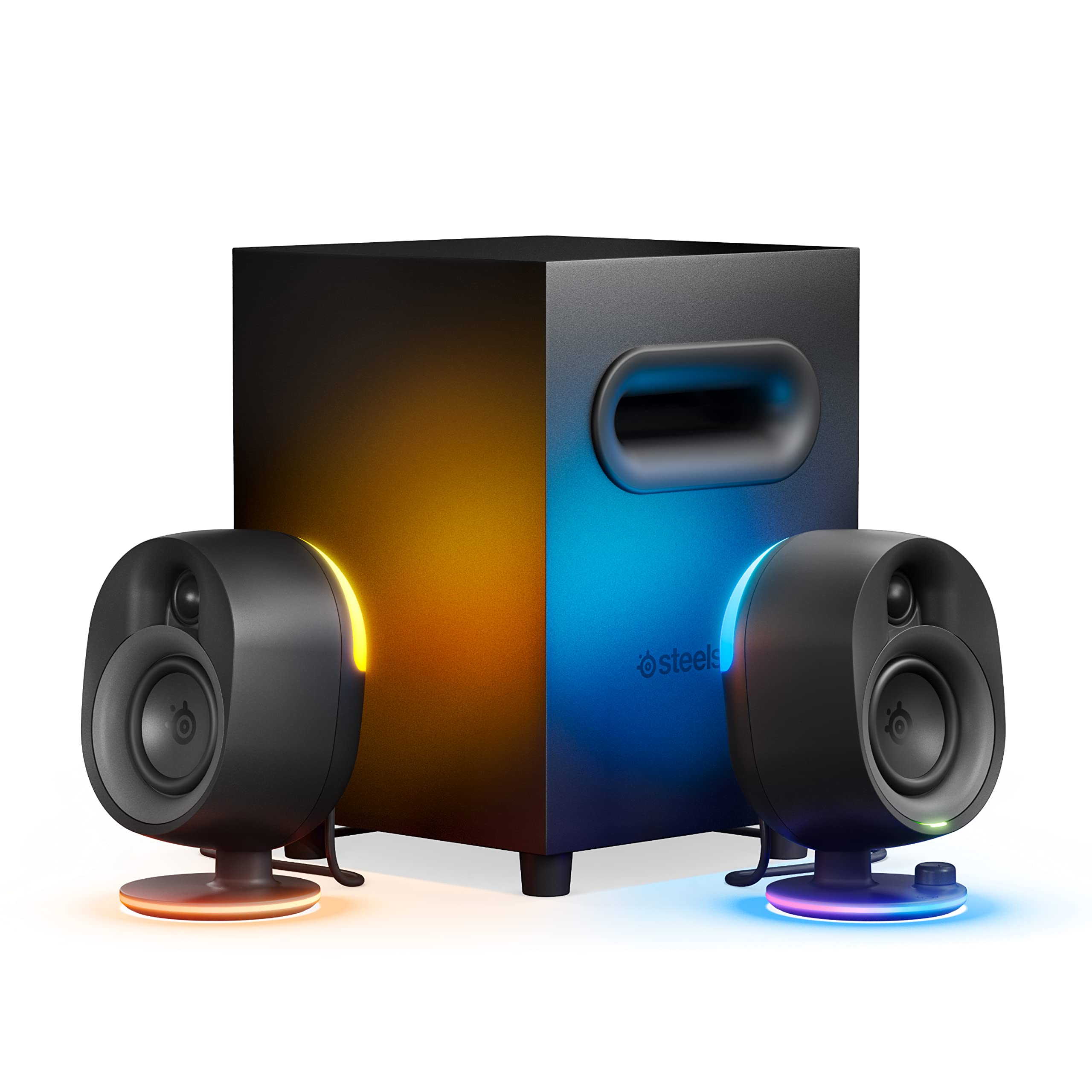
- A 6.5-inch subwoofer adds a dedicated bass component.
- USB, AUX, optical, and wired headset support cover multiple connections.
- PrismSync lighting reacts to screen events and music.
Best For: PC and console players who want a subwoofer, customizable audio, and reactive lighting.
Audioengine A5+ Wired
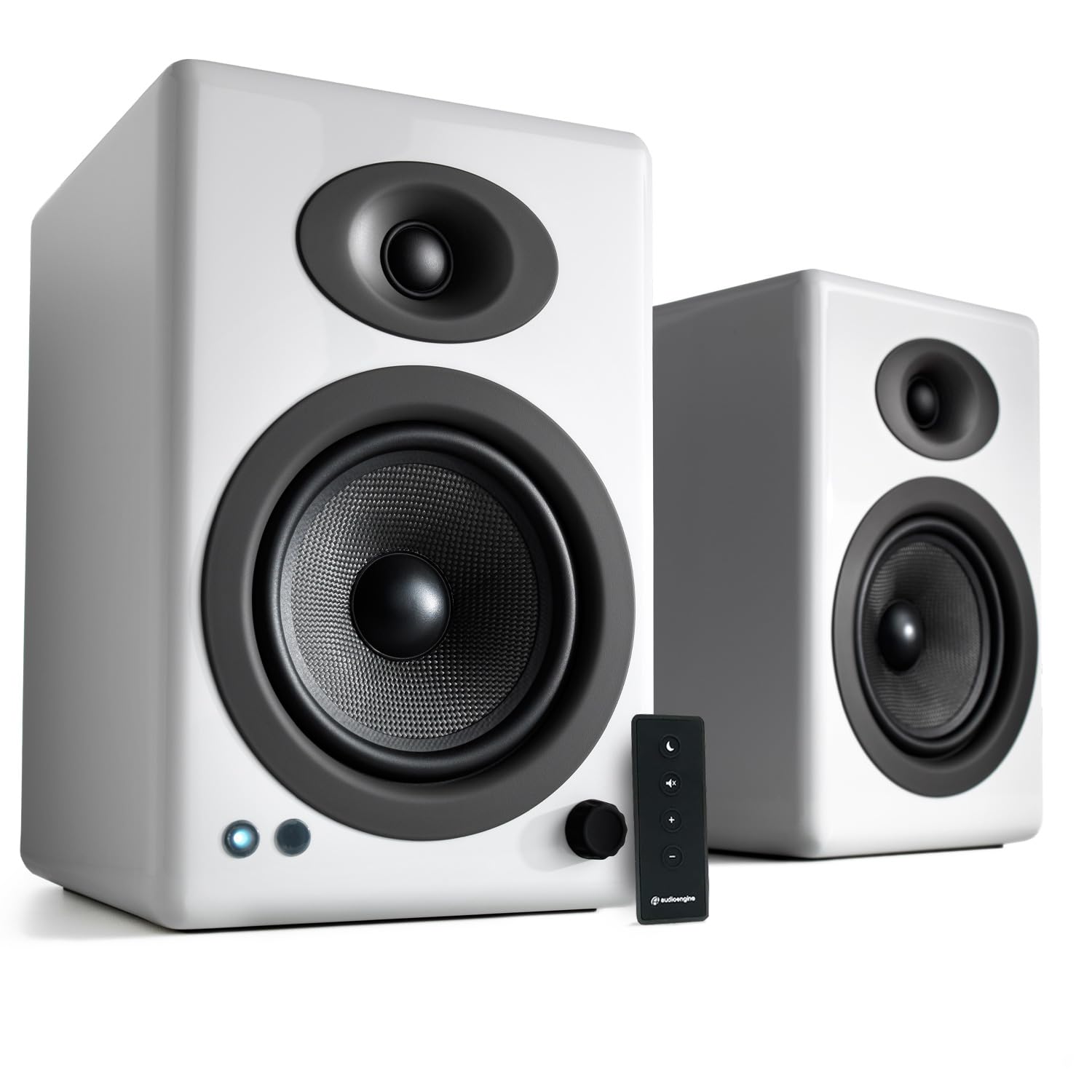
- The pair is rated at 150 watts of audio output.
- RCA and AUX connect computers and other wired sources.
- Bluetooth is not supported.
Best For: Listeners who want a larger powered pair for computer audio and other room sources.
Audioengine A2 HD (HD3)
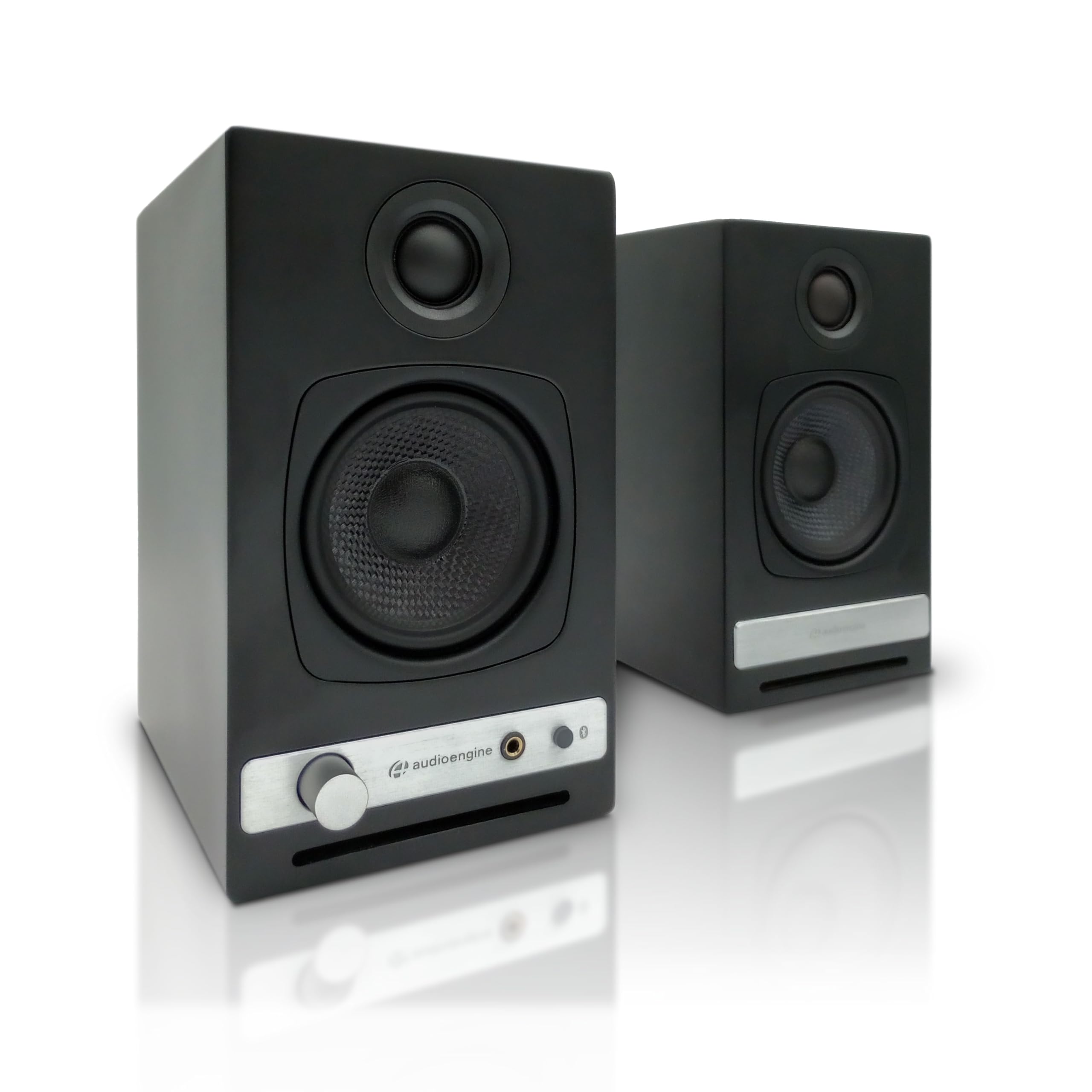
- USB DAC and aptX HD Bluetooth handle wired and wireless playback.
- A built-in headphone amplifier and front output support private listening.
- USB, RCA, and AUX inputs serve several types of equipment.
Best For: Desktop listeners who switch between speakers and wired headphone listening.
Nylavee SK100Pro 2.1 Speakers
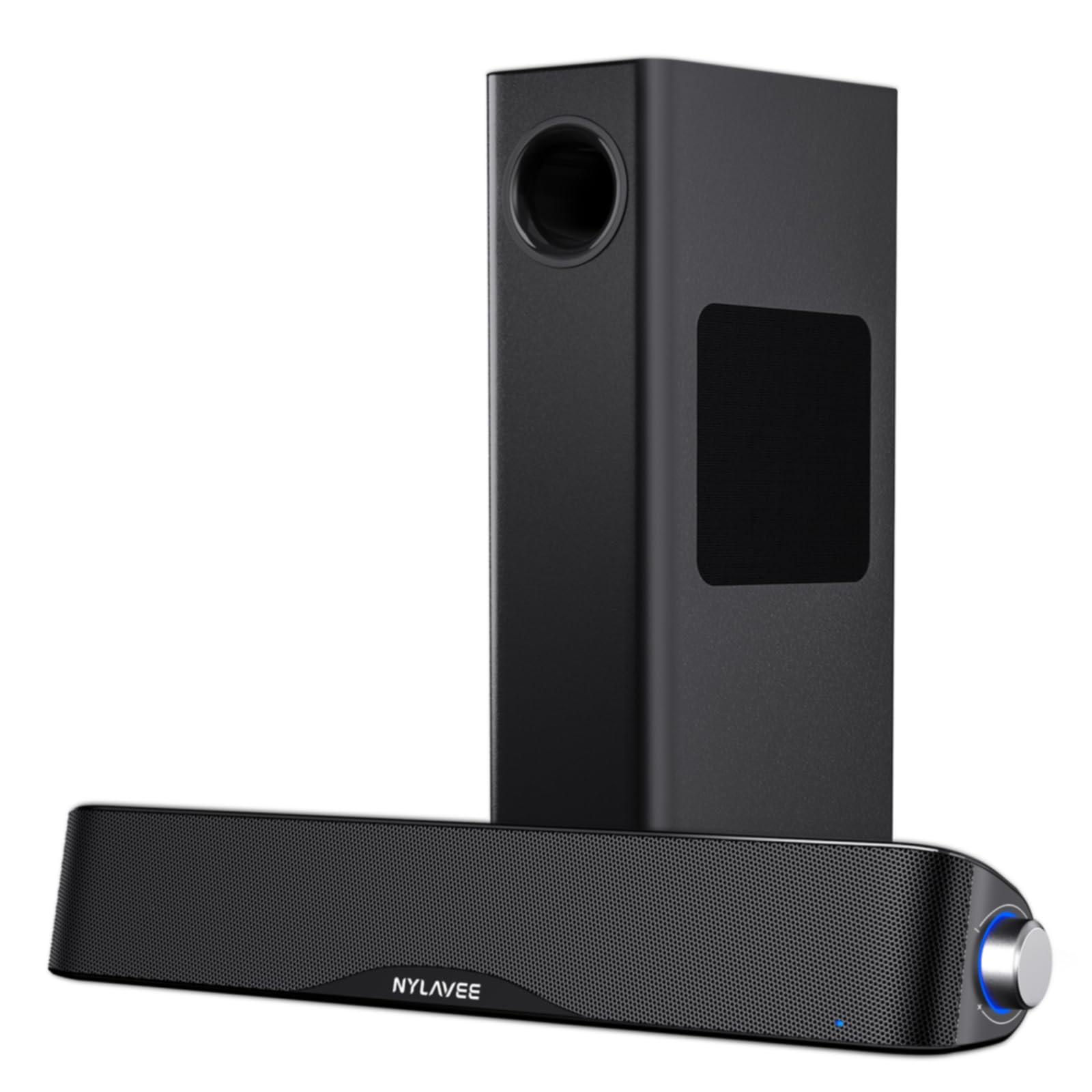
- The system pairs a soundbar with a wired subwoofer.
- Bluetooth 5.4 and AUX support wireless and wired connections.
- A side knob controls power, modes, and volume.
Best For: Desktop users seeking Bluetooth and a dedicated wired subwoofer for games, movies, and music.
Nylavee SK400 Computer Speakers

- Six touch-controlled lighting modes personalize the setup.
- The speakers use dual full-range units and two speaker ports.
- USB power and a 3.5mm cable provide plug-and-play connection.
Best For: Budget-conscious desktop users who want stereo sound, lighting choices, and simple wired setup.
Nylavee SK700 Computer Speakers
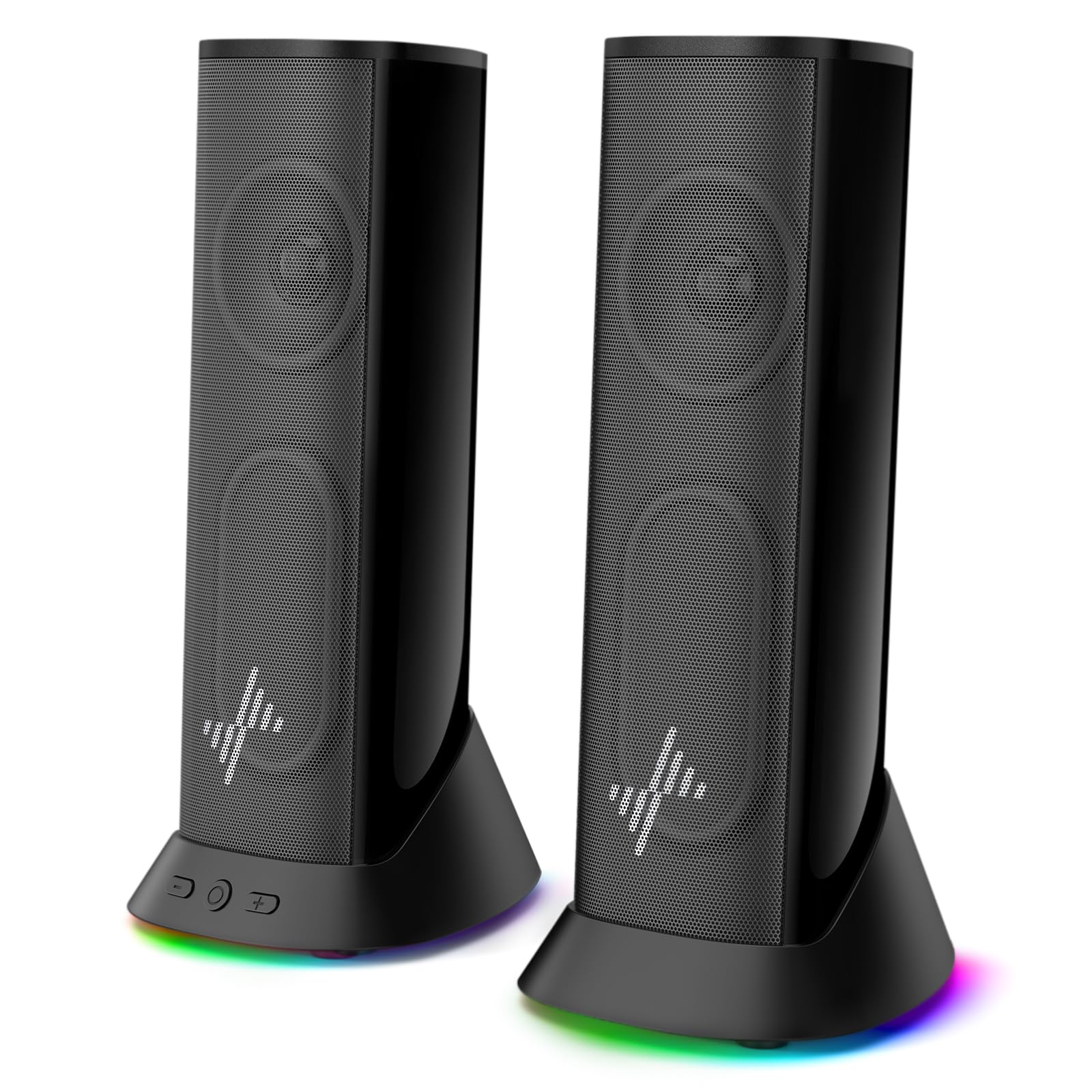
- Dual passive radiators are designed to add depth to the sound.
- Nine lighting modes can be switched off when desired.
- USB power and 3.5mm AUX provide plug-and-play setup.
Best For: Desk and gaming setups needing plug-and-play AUX audio with customizable lighting.
Audioengine A2 AIO (B2)
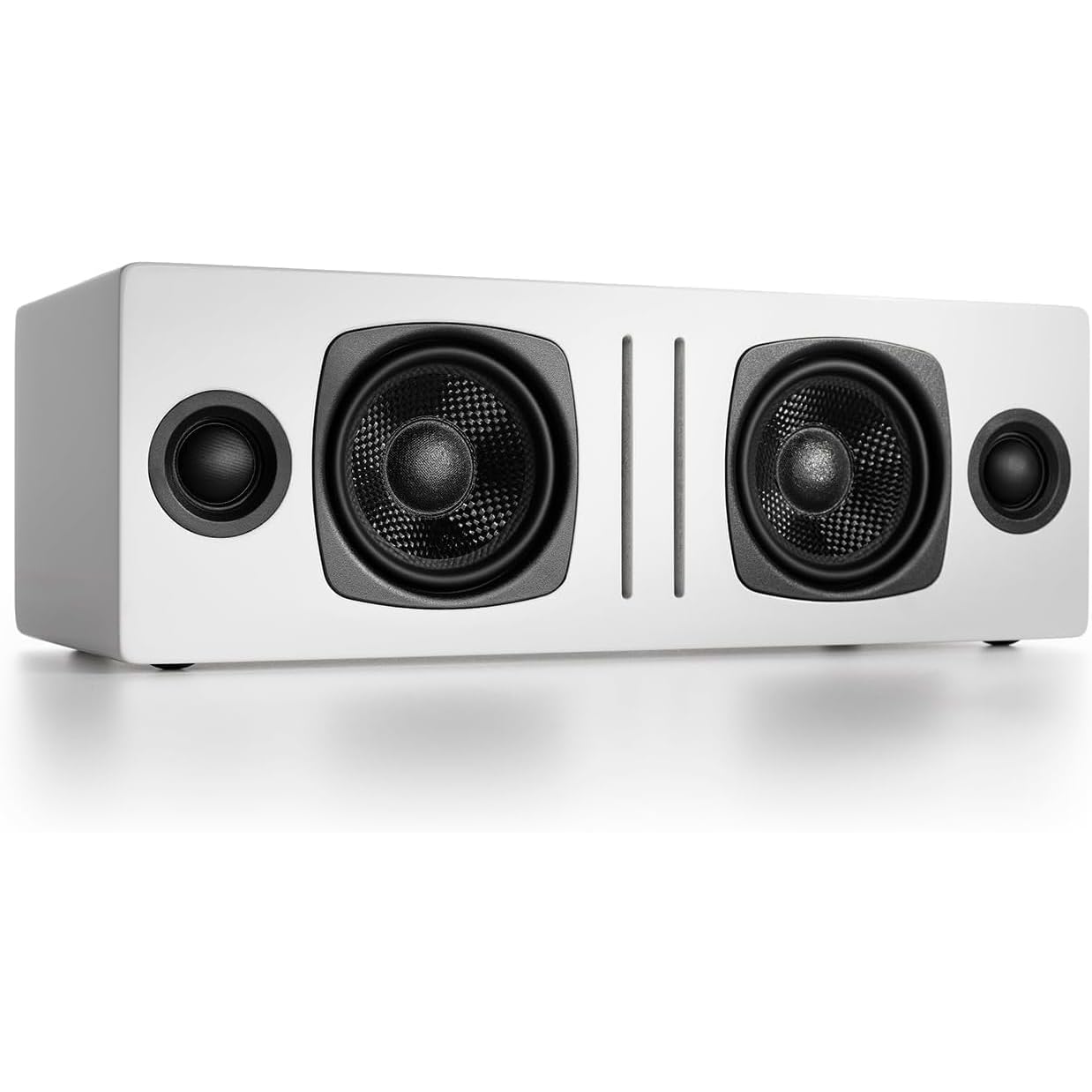
- Bluetooth and a 3.5mm AUX input support different devices.
- It is designed for portable use around the home.
- Dual woofers and tweeters are included in its all-in-one design.
Best For: People who want a Bluetooth speaker that can move between a computer desk and other rooms.
Compact Wireless Desktop Pair
Audioengine A2+ Wireless Computer Speakers – Bluetooth Desktop Speakers with 24-Bit DAC for PC, Mac, Gaming and Music - Red
The Audioengine A2+ is a compact powered pair designed for nearfield listening at a desk. Its integrated 24-bit DAC accepts USB-C, while Bluetooth 5.3 aptX-HD supports wireless playback from compatible devices.
RCA and 3.5mm AUX inputs add options for a TV, gaming system, or turntable with a built-in preamp. Real wood cabinets and custom-tuned components give it a more considered desktop format than a basic plug-in speaker.
It suits music, games, calls, and movies in a home office or bedroom. Its premium feature set comes with a higher outlay than simpler USB-powered computer speakers.
Best For: A tidy desktop setup for listeners who want Bluetooth and several wired inputs.
| Pros | Cons |
|---|---|
|
|
Choose the A2+ if you want a compact pair with both Bluetooth and direct USB-C audio, plus analog inputs for other equipment. It brings more connection options and wood cabinetry than the simpler plug-and-play models here, but takes a larger budget.
Check the available desk width and whether your preferred source uses USB-C, RCA, AUX, or Bluetooth before buying.
Subwoofer and Reactive Gaming Lights
SteelSeries Arena 7 RGB Illuminated 2.1 Gaming Speakers with Powerful Bass, Subwoofer, and Bluetooth - For PC, PlayStation, Mobile
The Arena 7 combines a pair of two-way speakers with a separate downward-firing subwoofer, making it a more involved desktop setup than compact stereo pairs. Its 6.5-inch subwoofer is aimed at listeners who want deeper bass for games and entertainment.
USB, AUX, optical, and wired headset support give it multiple ways to connect, and Bluetooth adds wireless playback from phones and other devices. Four-zone PrismSync lighting reacts to on-screen events and music.
Sonar software adds a 10-band parametric EQ and spatial audio simulation. Make room for the subwoofer and consider whether you will use its gaming features.
Best For: PC and console players who want a subwoofer, customizable audio, and reactive lighting.
| Pros | Cons |
|---|---|
|
|
Pick the Arena 7 if your computer is also a gaming or entertainment hub and you want lighting, software controls, and a separate bass unit. Its connection range is broader than a basic AUX speaker pair, though the subwoofer makes placement a real consideration.
Check your available floor or desk space and confirm which input suits your computer or console.
Room-Filling Wired Bookshelf Pair
Audioengine A5+ Wired Bookshelf Speakers – Powered Speakers for Turntables, Vinyl Records, Music Streaming and Home Theater - White
The Audioengine A5+ is a powered bookshelf speaker pair suited to a desk or room where larger cabinets and wired connections make sense. The product notes give it 150 watts of audio output and describe room-filling sound for offices, studios, living rooms, and home theater use.
RCA and 3.5mm AUX inputs connect computers alongside turntables, TVs, and gaming consoles. Its custom-tuned sound and wood-cabinet construction make it a different fit from compact desktop models.
Bluetooth is not supported, so wireless playback is not an option. Consider cabinet space and your connection needs before choosing it for computer use.
Best For: Listeners who want a larger powered pair for computer audio and other room sources.
| Pros | Cons |
|---|---|
|
|
Choose the A5+ if you want a larger wired pair that can serve a computer and other room sources. It offers RCA and AUX connectivity and is described for room-filling playback, but lacks Bluetooth and needs space for bookshelf-sized cabinets.
Check the intended placement and whether your computer has a suitable analog output before buying.
Desktop Pair With Headphone Output
Audioengine A2 HD (HD3) Wireless Computer Speakers – Bluetooth Desktop Speakers with DAC, Headphone Amplifier and USB Audio - Black
The Audioengine A2 HD (HD3) is a compact powered desktop pair with Bluetooth aptX HD and a USB DAC. Its front-panel headphone output and built-in amplifier make it useful for moving between speaker playback and private listening without changing the overall setup.
USB, RCA, and 3.5mm AUX inputs can serve computers, turntables with built-in preamps, consoles, TVs, and streamers. Real wood cabinets and custom-tuned drivers round out the design.
This option carries several features for a desktop audio setup, but check your space and whether the headphone output and extra inputs justify its cost.
Best For: Desktop listeners who switch between speakers and wired headphone listening.
| Pros | Cons |
|---|---|
|
|
This model fits listeners who use headphones as well as speakers and want USB DAC, Bluetooth, and analog inputs in one desktop system. Its headphone amplifier is the distinguishing convenience compared with the A2+ entry, while both offer flexible wired and wireless connections.
Check available desk space and confirm which cables your computer and other sources need.
Bluetooth 2.1 System With Separate Subwoofer
Nylavee Computer Speakers with Subwoofer, 2.1 PC Soundbar, Bluetooth 5.4
The Nylavee SK100Pro pairs a computer soundbar with a wired subwoofer in a 2.1 setup. The system uses dual soft-dome silk tweeters and full-range drivers, with a 5.25-inch bass driver in the separate subwoofer.
Bluetooth 5.4 supports wireless listening, while a 3.5mm AUX connection offers a wired option for computers and consoles. A side knob handles power, mode switching, and volume; the system runs from an adapter rather than a built-in battery.
This is a larger footprint than a simple desktop pair, so plan where the soundbar and subwoofer will go.
Best For: Desktop users seeking Bluetooth and a dedicated wired subwoofer for games, movies, and music.
| Pros | Cons |
|---|---|
|
|
Choose the SK100Pro if you want a separate subwoofer and Bluetooth in a computer speaker setup, and have room for both pieces. Its side knob keeps basic adjustments on the system itself, while AUX provides a wired fallback.
It is less compact than a two-speaker desktop pair; plan soundbar and subwoofer placement and note that it needs adapter power.
Six Lighting Modes and Simple Knob Control
Nylavee Computer Speakers for Desktop, PC Speakers with 6 Lighting Modes
The Nylavee SK400 is a tabletop stereo pair for computers and other devices with a 3.5mm audio connection. Its dual full-range speaker units and two speaker ports are intended to provide stereo playback with added bass character.
Six touch-controlled lighting modes let you personalize a gaming or work setup, while a single knob handles power and volume. USB supplies power only, and the 3.5mm cable carries audio; there is no Bluetooth.
This straightforward arrangement can suit a desktop where simple controls and lighting matter more than wireless connections. Check the available space and confirm your device has an AUX output.
Best For: Budget-conscious desktop users who want stereo sound, lighting choices, and simple wired setup.
| Pros | Cons |
|---|---|
|
|
The SK400 suits a user who wants a simple stereo pair with lighting and a physical volume knob. Its USB cable powers the speakers, but audio travels separately over 3.5mm AUX, so it is not a one-cable digital audio setup.
Choose it when your computer has AUX available and wireless playback is unnecessary. Check placement because desktop speakers still need space alongside the display.
Slim Profile With Nine Lighting Modes
Nylavee Computer Speakers, Plug-and-Play PC Speakers for Desktop & Laptop
The Nylavee SK700 is a wired stereo speaker set with dual full-range units and passive radiators intended to add depth. It connects through 3.5mm AUX, while USB or USB-C supplies power; setup requires no drivers.
Nine lighting modes can be changed or switched off to match a gaming setup or a simpler workspace. The extended 4.5-foot cable is intended to span dual 27-inch monitors, and the speakers are described as having a slim profile.
It supports desktops, laptops, monitors, and consoles. Check the cable route and power connection, since audio and power use separate connections.
Best For: Desk and gaming setups needing plug-and-play AUX audio with customizable lighting.
| Pros | Cons |
|---|---|
|
|
Pick the SK700 if you want lighting options and a cable arrangement designed to span a wider monitor setup. Its passive radiators add a sound-shaping feature, while USB power and AUX audio keep the connection wired and simple.
Compared with other computer speakers, it offers multiple lighting modes and an extended cable reach, but still needs separate power and audio connections. Check your port availability and cable path.
Portable Bluetooth All-in-One Speaker
Audioengine A2 AIO (B2) Bluetooth Speaker – Premium Wireless Home Speaker | for Music Streaming from Phone, Tablet and Computer - White
The Audioengine A2 AIO (B2) is presented as a portable all-in-one Bluetooth speaker for computers, phones, tablets, TVs, and gaming systems. Its aptX Bluetooth and 3.5mm AUX input cover wireless and wired playback, while a magnetic grille and compact portable design support moving it between locations.
The notes describe dual woofers and tweeters, with 60W peak total power output. Unlike the A2+ and A2 HD, this candidate is described as one all-in-one speaker rather than a desktop pair.
Check that the format suits your need for stereo separation at a fixed computer desk.
Best For: People who want a Bluetooth speaker that can move between a computer desk and other rooms.
| Pros | Cons |
|---|---|
|
|
Choose this option if moving a Bluetooth speaker between the desk and other rooms matters more than having two separated desktop speakers. It accepts AUX as a wired alternative, but the supplied features do not describe USB audio.
Compare its all-in-one format with the stereo pairs here and check whether that layout suits your computer listening position.
How to Choose Computer Speakers
How We Picked Computer Speakers
The selection covers distinct computer audio setups: compact desktop pairs, larger wired bookshelf speakers, a gaming system with a subwoofer, and simple AUX models with lighting. Each candidate has an identified use for computer or desktop playback, and the picks emphasize differences that can affect fit: speaker format, input choices, controls, and added components.
The options range from plug-and-play setups to models with DACs, Bluetooth, or audio software.
For a small home office, a compact pair may be easier to place than a bookshelf system. Gaming and movie listeners may prefer a separate subwoofer or reactive lighting.
People who share a desk between calls, games, and music can weigh a headphone output or a simple volume knob.
Comparing Computer Speakers by Setup and Connections
Start with how the speakers connect to your computer. The Audioengine A2+ and A2 HD accept USB audio and Bluetooth; the A5+ uses RCA and AUX and does not support Bluetooth.
The Nylavee SK400 and SK700 use AUX for audio and USB for power. The Arena 7 and SK100Pro add a subwoofer to the setup, while the A2 AIO offers a portable all-in-one format.
A separate subwoofer can add a dedicated bass component, but it also needs its own placement. The Arena 7 uses a 6.5-inch subwoofer, and the SK100Pro combines a soundbar with a 5.25-inch subwoofer.
Compact pairs keep the system in two desktop speakers, while the A5+ is aimed at room-filling sound and needs more cabinet space. Match the format to your desk and room before focusing on extra features.
| Product | Standout features | Best for |
|---|---|---|
| Audioengine A2+ WirelessCheck Price |
| A tidy desktop setup for listeners who want Bluetooth and several wired inputs. |
| SteelSeries Arena 7Check Price |
| PC and console players who want a subwoofer, customizable audio, and reactive lighting. |
| Audioengine A5+ WiredCheck Price |
| Listeners who want a larger powered pair for computer audio and other room sources. |
| Audioengine A2 HD (HD3)Check Price |
| Desktop listeners who switch between speakers and wired headphone listening. |
| Nylavee SK100Pro 2.1 SpeakersCheck Price |
| Desktop users seeking Bluetooth and a dedicated wired subwoofer for games, movies, and music. |
| Nylavee SK400 Computer SpeakersCheck Price |
| Budget-conscious desktop users who want stereo sound, lighting choices, and simple wired setup. |
| Nylavee SK700 Computer SpeakersCheck Price |
| Desk and gaming setups needing plug-and-play AUX audio with customizable lighting. |
| Audioengine A2 AIO (B2)Check Price |
| People who want a Bluetooth speaker that can move between a computer desk and other rooms. |
Choosing Speakers for a Gaming Desk or Home Office
Lighting and controls shape the desktop experience even when they do not change the connection type. The SK400 has six touch-controlled lighting modes and a single volume knob; the SK700 offers nine modes and can switch the lights off.
The Arena 7 uses four-zone reactive lighting and Sonar software controls, giving it more gaming-focused customization.
For work calls and private listening, check whether a model supports headphones or uses a convenient physical control. The A2 HD includes a front headphone output, and the SK400 has a single knob for power and volume.
If you move audio between a computer and phone, Bluetooth can simplify switching, while a wired AUX input can help connect devices without wireless playback.
Which Computer Speaker Setup Fits Your Listening?
Choose a compact pair like the A2+ if you want multiple inputs and a DAC on a desktop. The A2 HD makes more sense when its headphone amplifier is useful.
For a computer that also serves as a game and movie system, compare the Arena 7's software and reactive lights with the SK100Pro's Bluetooth, side knob, and separate subwoofer.
A wired bookshelf pair such as the A5+ is a better match when the speakers will serve a larger room or several analog sources. The SK400 and SK700 focus on straightforward wired desktop audio, with lighting and simple setup as extra draws.
The portable A2 AIO fits someone who wants to move a speaker around the home and accepts an all-in-one layout. Check the input ports, power needs, and placement before deciding.