The best USB microphones under 100 range from simple desktop mics to kits with boom arms, headphone monitoring, and optional XLR connections. Choose by how you record: a compact plug-and-play mic suits calls, while a dynamic model or multi-pattern condenser offers more control for podcasts and streaming.
Quick Top Products
MAONO PD100W Wireless Dynamic Microphone
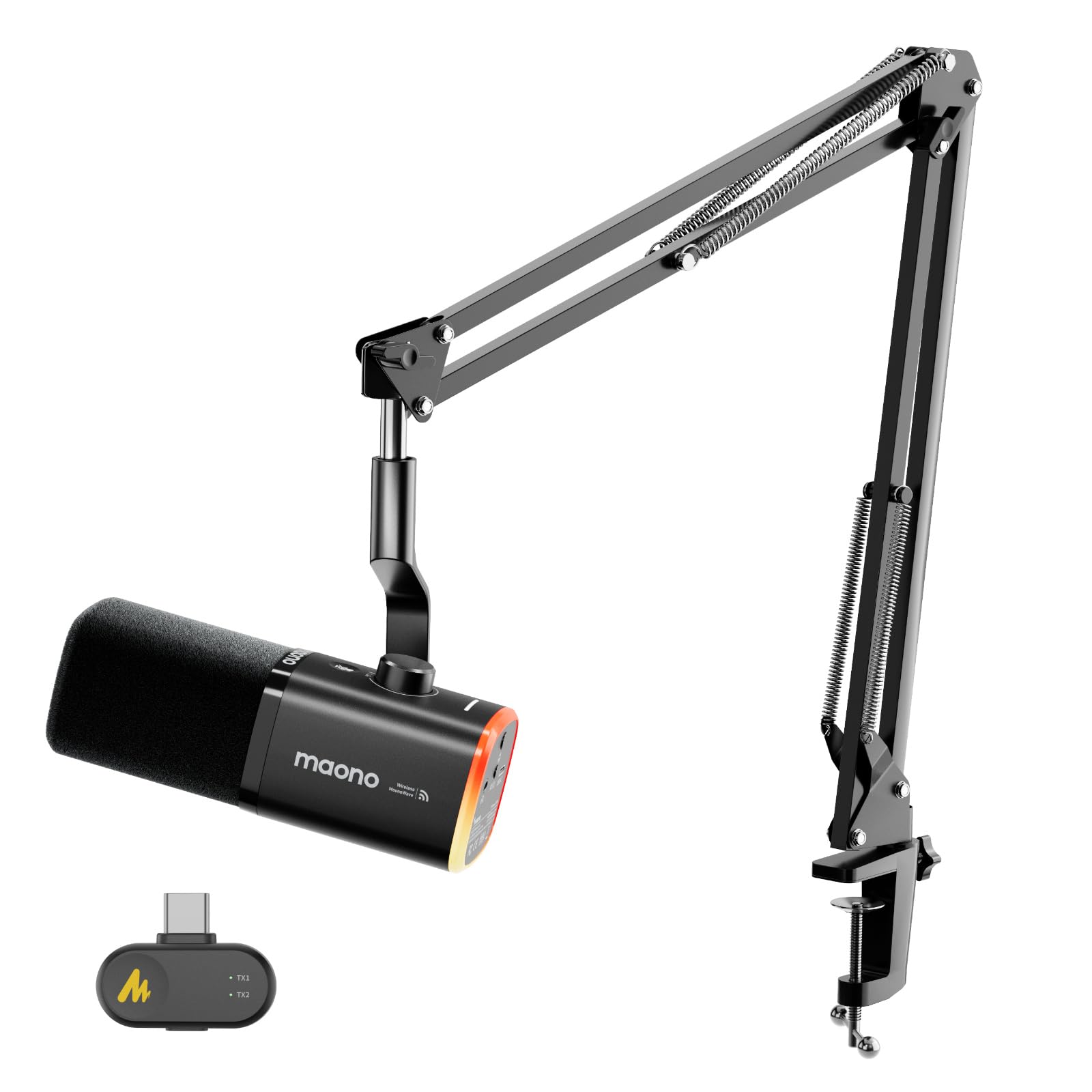
- Switch between 2.4G wireless and USB wired recording.
- Adjust noise reduction across three levels.
- Monitor audio through the 3.5mm headphone jack.
Best For: PC creators who want wireless or wired recording and adjustable noise control.

Samson Q2U Dynamic Microphone

- Offers USB-C and XLR connections.
- Includes a tripod desktop stand and extension.
- Comes with both USB-C and XLR cables.
Best For: New podcasters who want a handheld mic with both computer USB-C and XLR connections.
MAONO PD200XS Dynamic Microphone Kit
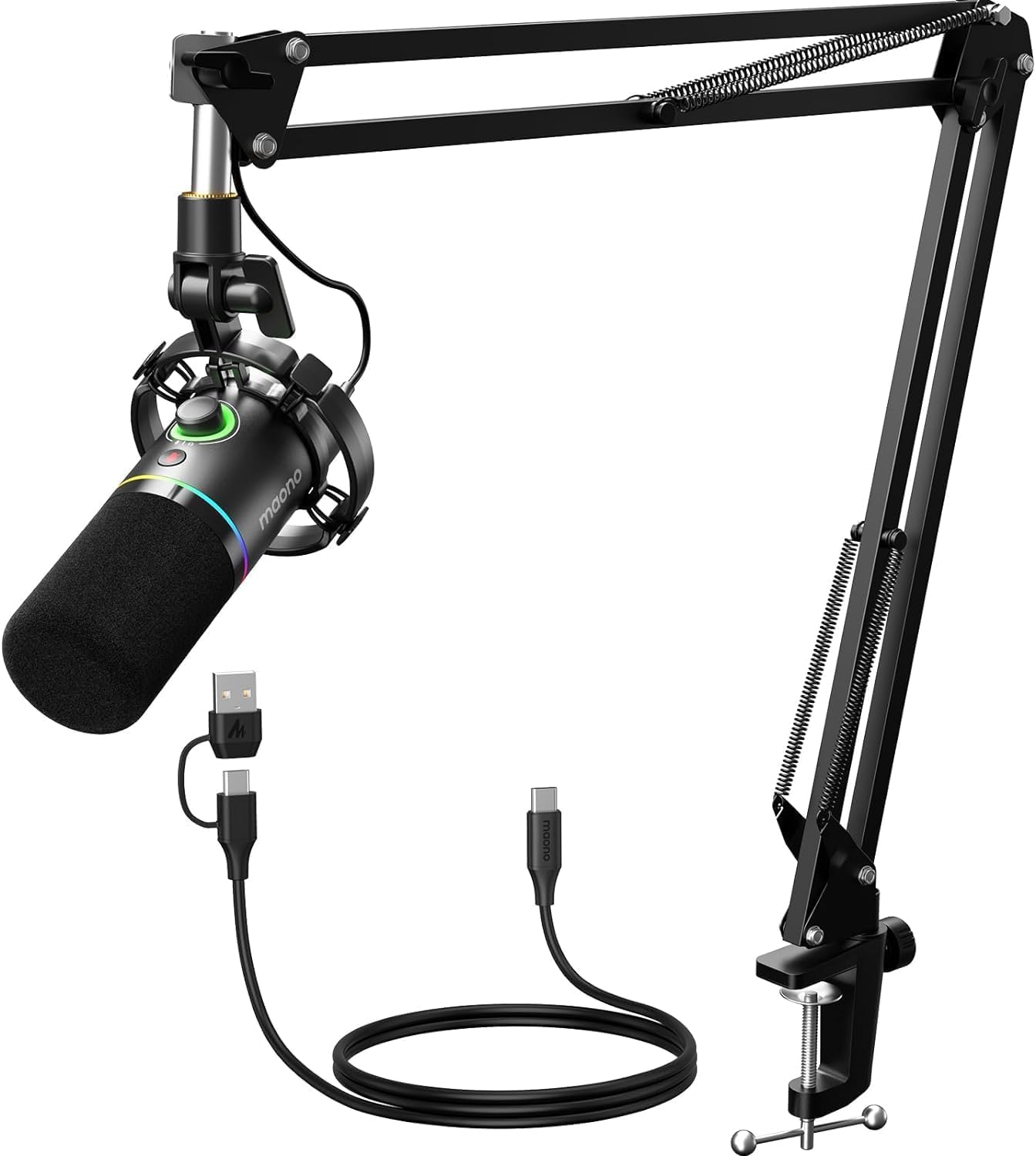
- Connect by USB or XLR.
- Use EQ, limiter, and compressor adjustments in USB mode.
- Includes a boom arm and shock mount.
Best For: Streamers and podcasters who want a boom arm, software adjustments, and USB/XLR options.
JLab Talk USB Microphone
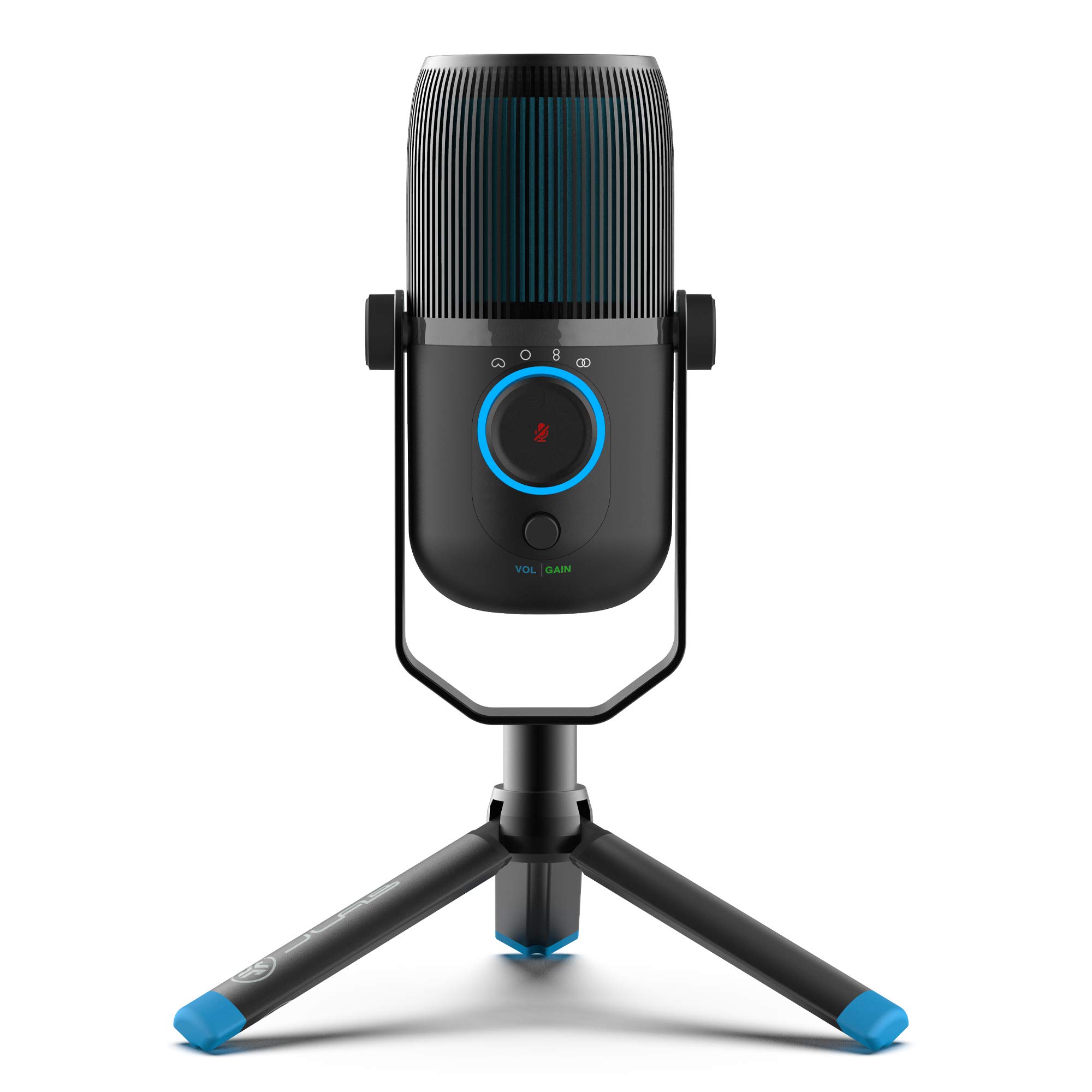
- Choose among cardioid, omnidirectional, stereo, and bidirectional patterns.
- Adjust gain and volume and listen through the 3.5mm input.
- Connect with the included 6.5-foot USB/USB-C cable.
Best For: Home creators who want one desktop condenser mic for solo voice and group recordings.
FIFINE K669B USB Microphone

- Uses a direct USB-A plug-and-play connection.
- Has a metal construction and stable tripod stand.
- Includes a microphone volume knob.
Best For: Budget-conscious PC users who need a compact mic for voice chat, meetings, or basic recording.
FIFINE AmpliGame AM8 White

- Supports USB and XLR connectivity.
- Offers tap mute, gain, and headphone controls over USB.
- RGB lighting works with a USB connection.
Best For: Streamers who want a dynamic mic with USB/XLR connectivity, mute, gain, and headphone monitoring.
FIFINE A6T White USB Microphone Kit
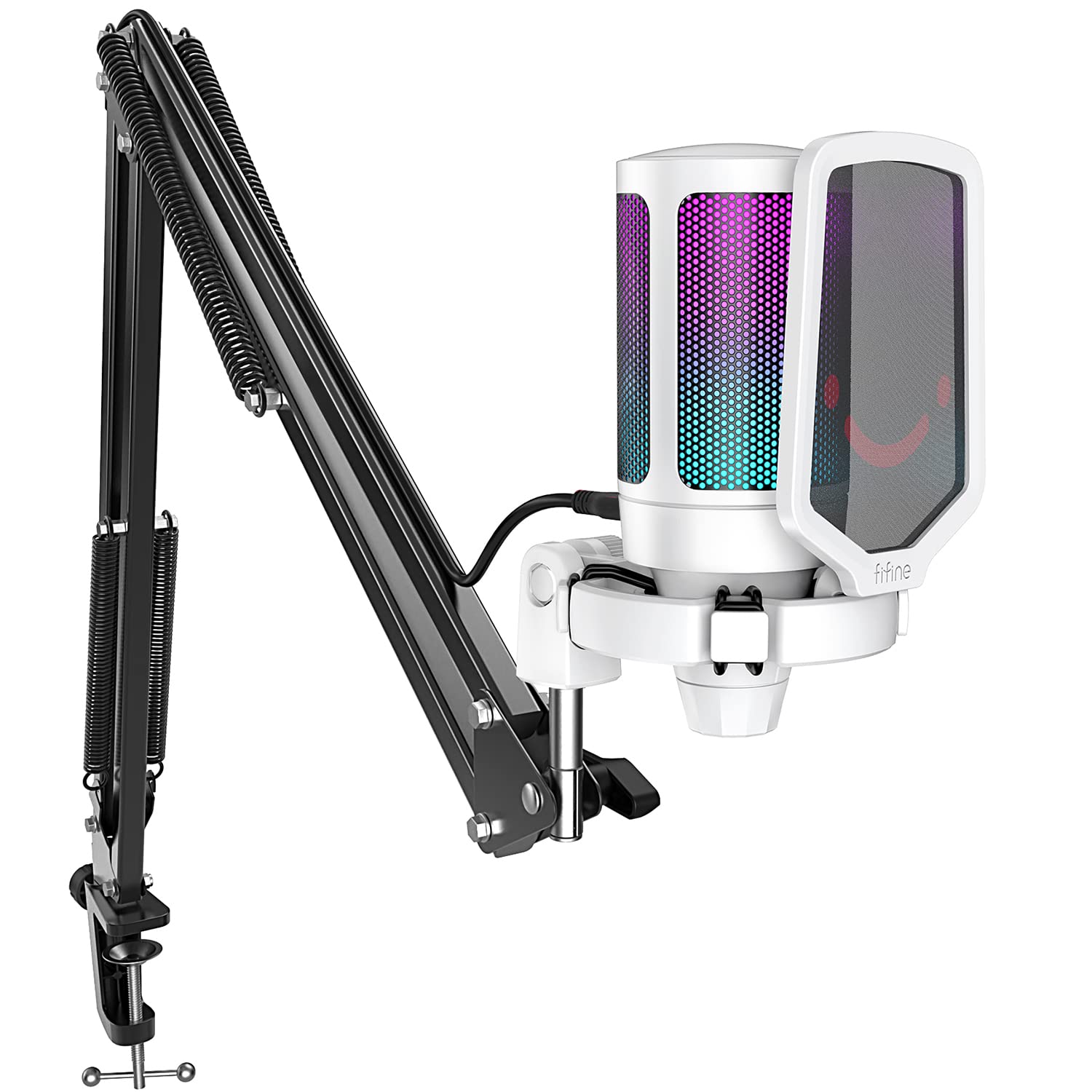
- Includes a boom arm, pop filter, and shock mount.
- Connects by USB and works with PC and PS5.
- Has volume control and a mute function with RGB status indication.
Best For: PC and console gamers who want a white USB condenser mic with a complete boom-arm setup.
FIFINE AmpliGame A6V USB Microphone
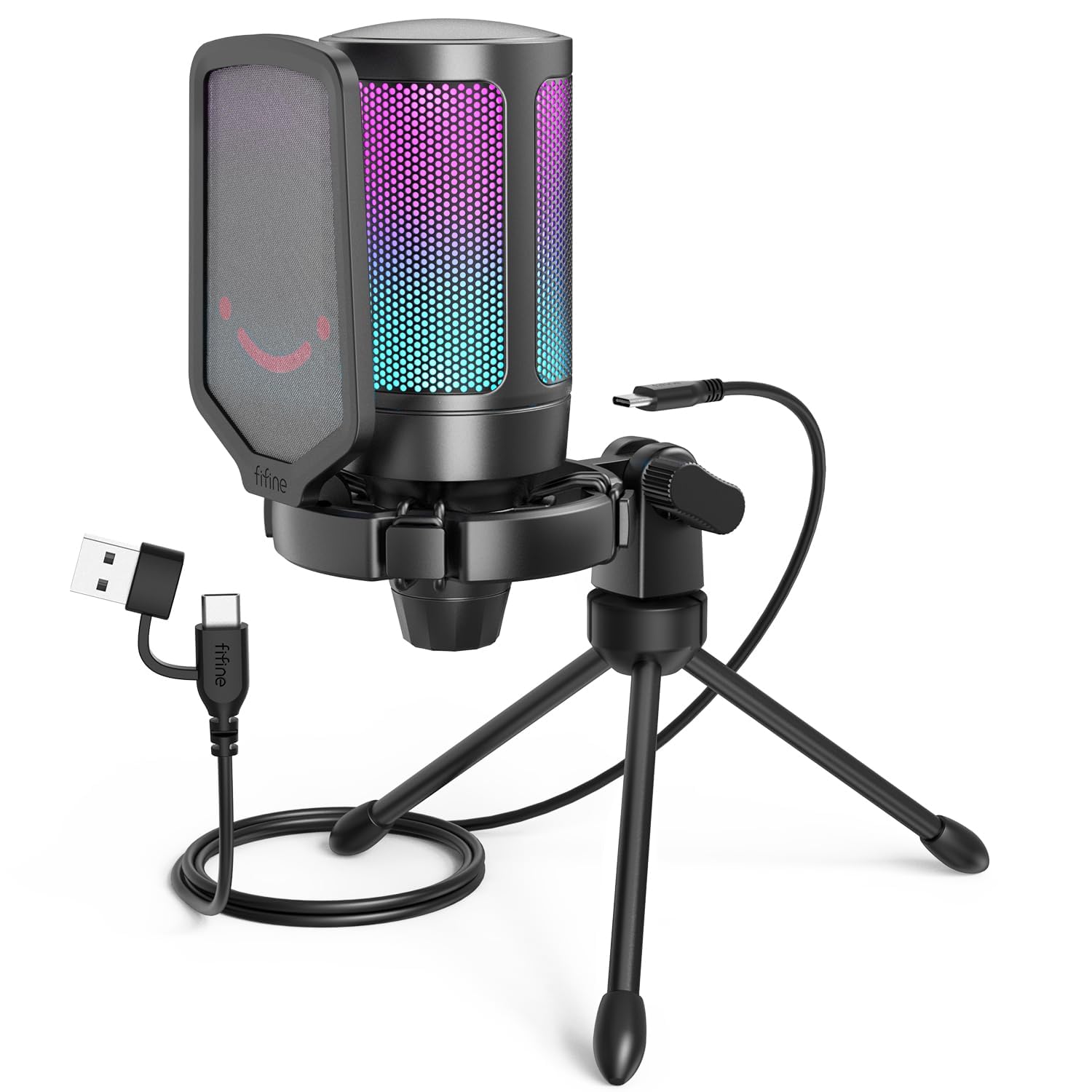
- Includes a tripod stand, shock mount, and pop filter.
- Use the quick mute button and gain knob for direct control.
- Quick mute button: Tap to silence the microphone, with the RGB indicator turning off when muted.
Best For: Gamers who want a compact USB mic with a tripod, mute indicator, and headphone monitoring.
FIFINE K683A USB Microphone

- Includes gain, mute, and headphone monitoring controls.
- Comes with a foldable tripod and detachable pop filter.
- Includes a USB-B to USB-A/C cable.
Best For: Home recordists who want a USB desktop mic with gain, mute, and headphone monitoring.
MAONO DM40 Wireless Microphone
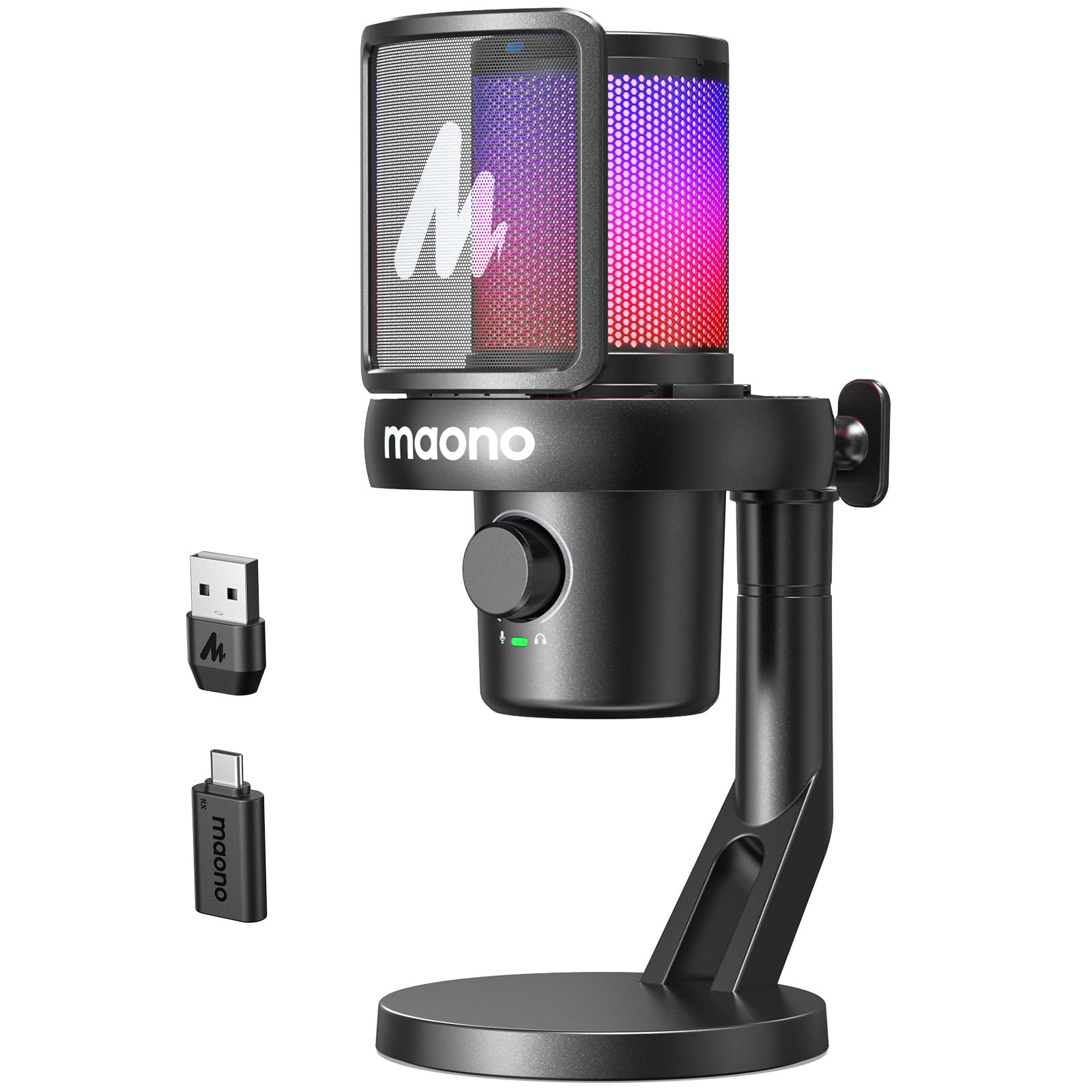
- Supports wireless and wired USB connections.
- Offers up to 40 hours of continuous use.
- Provides one-touch noise cancellation with three levels.
Best For: Creators who want a wireless USB mic with software presets, noise control, and voice effects.
Wireless Freedom for Streaming
MAONO PD100W Wireless USB Dynamic Microphone, Gaming PC Mic with One-Click Noise Reduction,Mute Button,Custom RGB,3.5mm Headphone Jack,Software,Podcast Streaming Mic (Boom Arm(USB-C Receiver), Black)
The MAONO PD100W gives a desktop setup both 2.4G wireless and USB wired modes, so you can choose between a clear workspace and a direct cable connection. Its dynamic capsule has a cardioid pickup pattern, and the microphone includes a touch mute, headphone jack, gain and volume control, and customizable RGB.
Noise reduction offers three levels, with additional customization through Maono Link. The included USB-C receiver supports a range of devices, though the record notes that iPhone use requires a separate Lightning receiver.
It is a useful fit for gaming, streaming, meetings, or podcasts when fewer desk cables matter.
Best For: PC creators who want wireless or wired recording and adjustable noise control.
| Pros | Cons |
|---|---|
|
|
Choose the PD100W if you want to move between wireless and USB recording without changing microphones. Its noise cancellation levels, monitoring jack, and configurable RGB provide more adjustment than a basic USB desk mic.
Check the receiver and device connection you need before buying, especially for iPhone use, and confirm the battery runtime that suits your sessions because that detail is not provided here.
Handheld USB and XLR Flexibility
Samson Q2U Dynamic USB-C/XLR Microphone
The Samson Q2U is a handheld dynamic microphone with both USB-C and XLR connections. It can plug directly into a computer with a USB-C interface, while the XLR output gives you another connection option for compatible audio gear.
The included pack has a tripod desktop stand, extension, mic clip, windscreen, USB-C cable, and XLR cable, so it covers several basic setup needs. This is a practical choice for voice recording and podcasting if you prefer a handheld form and want connection flexibility.
The product facts do not specify onboard mute, gain, or headphone monitoring controls, so check whether those features matter to your workflow.
Best For: New podcasters who want a handheld mic with both computer USB-C and XLR connections.
| Pros | Cons |
|---|---|
|
|
The Q2U makes sense if a handheld dynamic mic and the included cables fit your setup. Its USB-C and XLR connections offer options as your recording equipment changes, and the supplied stand and windscreen help cover a starter podcast arrangement.
Check that your computer has the USB-C interface needed for direct connection, and consider whether you need controls or monitoring built into the microphone; those functions are not specified.
Dynamic Kit With Software Controls
MAONO XLR/USB Dynamic Microphone Kit, RGB Podcast Mic with Software, Mute, Gain Knob, Volume Control, Boom Arm for Streaming, Gaming, Voice-Over, Recording-PD200XS Black
The MAONO PD200XS combines a dynamic microphone with USB and XLR outputs, a boom arm, shock mount, and a 3.5mm headphone jack. In USB mode, MAONO Link provides EQ, limiter, compressor, and RGB adjustments; the microphone also has a gain and headphone-volume knob plus one-click mute.
XLR connects to compatible interfaces, mixers, or portable PA systems, but the XLR cable is not included. This kit is aimed at people who want to start with a direct computer connection and keep an analog connection option.
Consider whether you need the software features, since they apply only in USB mode.
Best For: Streamers and podcasters who want a boom arm, software adjustments, and USB/XLR options.
| Pros | Cons |
|---|---|
|
|
Pick the PD200XS if you want an included boom arm and prefer a dynamic mic with both computer USB and XLR connectivity. Its software controls and onboard monitoring make it especially configurable over USB.
If you plan to connect by XLR, budget for the separate cable and remember that the software adjustments are unavailable in that mode. Confirm the boom arm fits your desk arrangement before choosing this kit.
Four Pickup Patterns for Shared Recording
JLab Talk USB Microphone, USB-C Output, Cardioid, Omnidirectional, Stereo or Bidirectional, 96k Sample Rate, 20Hz, 20kHz Frequency Response, Volume, Gain Control, Quick Mute, Plug & Play
The JLab Talk is a desktop USB microphone with four selectable pickup patterns: cardioid, omnidirectional, stereo, and bidirectional. That range can suit solo voiceovers as well as recordings that need to capture sound from multiple directions.
It includes gain and volume controls, a 3.5mm input for real-time listening, and a USB/USB-C cable; plug-and-play setup requires no drivers. The microphone also has a 5/8-inch mounting input for a swivel stand or tripod.
Its feature set can support varied recording setups, but buyers should check which stand they need and whether the supplied cable reaches their computer position.
Best For: Home creators who want one desktop condenser mic for solo voice and group recordings.
| Pros | Cons |
|---|---|
|
|
The Talk is suited to users who want pattern choices for changing between solo recordings and multi-person or ambient capture. Its onboard gain and volume adjustments and real-time listening input are useful for tuning a session without relying only on computer controls.
Check the stand arrangement before buying: it has a standard 5/8-inch mounting input, while the product facts do not specify an included stand.
Low-Cost Metal Desktop Mic
FIFINE USB Microphone, Metal Condenser Recording Microphone for MAC OS, Windows, Cardioid Laptop Mic for Recording Vocals, Voice Overs, Streaming, Meeting and YouTube Videos-K669B
The FIFINE K669B is a straightforward USB condenser microphone with a metal body, cardioid pickup, and a small tripod stand. Its volume knob is built into the microphone, and the included 5.9-foot USB cable connects to a USB-A port.
The design suits everyday computer tasks such as calls, voice chat, streaming, and simple voice recording. It is not compatible with Xbox or phones, and the supplied product notes do not identify a headphone monitoring jack or a mute button.
This is a practical option when the goal is a basic desktop mic rather than a larger kit with a boom arm and pop filter.
Best For: Budget-conscious PC users who need a compact mic for voice chat, meetings, or basic recording.
| Pros | Cons |
|---|---|
|
|
Choose the K669B when you want a no-frills USB-A microphone for a computer and value the simple tripod setup. The onboard volume knob offers a direct adjustment, and the cardioid pattern is intended to focus on front-facing voice.
Its limitations are equally practical: it does not support Xbox or phones, and monitoring and mute controls are not specified. Check your device ports and control needs before purchase.
USB/XLR Gaming Mic With Onboard Controls
FIFINE XLR/USB Gaming Microphone for Streaming Podcasting, PC Computer RGB Mic, with Gain Knob, Mute Button, Monitoring Jack, Gamer Mic for Recording Video Creation-AmpliGame AM8 White
The white FIFINE AmpliGame AM8 is a dynamic microphone with USB and XLR connections. In USB mode, it offers RGB lighting, a tap-to-mute control, gain adjustment, a headphone jack, and headphone-volume control.
XLR provides a connection option for a mixer or sound card, but the listed RGB and headphone controls are USB-only. The compact desktop design is aimed at gaming and streaming, while the product notes also identify podcasting and voiceover use.
No stand or cables are specified in the supplied notes, so check what is included and what your desk or XLR setup requires before buying.
Best For: Streamers who want a dynamic mic with USB/XLR connectivity, mute, gain, and headphone monitoring.
| Pros | Cons |
|---|---|
|
|
The AM8 suits a streamer who wants a dynamic USB mic now and the option of XLR connection later. Its onboard mute, gain, and headphone features are useful for a USB desk setup, and the white finish may fit a coordinated gaming workspace.
Before ordering, verify the stand and cable contents, then choose your connection deliberately: the listed lighting and headphone controls are limited to USB mode.
White RGB Kit With Boom Arm
FIFINE Streaming Gaming USB Microphone Kit, PC Condenser RGB Mic Compatible with PS4/PS5, Plug and Play for Music Recording, Online Game, Discord, Twitch, with Pop Filter, Shock Mount-A6T White
The FIFINE A6T White is a USB condenser microphone kit built around gaming and streaming. It includes a boom arm, C-clamp, shock mount, pop filter, and an 8.2-foot USB-C to USB cable.
The microphone has a cardioid pickup pattern, volume control, and a mute function that works with the RGB status lighting. Its plug-and-play connection supports PC and PS5 use.
The clamp supports desks up to 2 inches thick, so measure your desk edge before buying. This set offers more positioning flexibility than a tabletop tripod, though its USB design does not offer an XLR connection.
Best For: PC and console gamers who want a white USB condenser mic with a complete boom-arm setup.
| Pros | Cons |
|---|---|
|
|
Choose this A6T variant if its white finish and boom-arm kit fit your gaming desk. It offers direct USB connection, cardioid pickup, a mute function, and accessories for positioning and pop reduction.
The desk clamp has a stated thickness limit of 2 inches, so check that measurement before purchase. If you want to connect an audio interface over XLR, this USB-only kit does not provide that route.
Tripod Kit With Quick Mute
FIFINE Gaming USB Microphone for PC PS5, Condenser Mic with Quick Mute, RGB Indicator, Tripod Stand, Pop Filter, Shock Mount, Gain Control for Streaming Discord Twitch Podcasts Videos- AmpliGame
The FIFINE AmpliGame A6V is a USB condenser microphone supplied with a tripod stand, shock mount, pop filter, and detachable USB cable. Its cardioid pattern is intended to focus on front-facing voice, while a quick mute button and gain knob provide direct control.
RGB lighting turns off when muted, giving a visible status cue. Headphone monitoring: Not specified.
Plug-and-play connection works with desktop and laptop computers as well as PS4 and PS5. This kit keeps the setup simpler than a boom-arm bundle, but buyers should check that a tabletop tripod suits their preferred mic position.
Best For: Gamers who want a compact USB mic with a tripod, mute indicator, and headphone monitoring.
| Pros | Cons |
|---|---|
|
|
The A6V is a fit for users who want direct USB operation and a tripod-based desktop position. Its quick mute, gain control, headphone monitoring, and included pop filter cover useful day-to-day adjustments for gaming or streaming.
Unlike the boom-arm bundles, the supplied notes identify a tripod rather than an arm, so consider whether placing the mic on the desk will work with your keyboard, screen, and speaking position.
USB Mic With Pop Filter and Monitoring
FIFINE USB Desktop PC Microphone with Pop Filter for Computer and Mac, Studio Condenser Mic with Gain Knob Mute Button Headphone Jack for Gaming Streaming Recording YouTube, Extra USB-C Plug-K683A
The FIFINE K683A is an all-metal USB condenser microphone with a foldable tripod, detachable pop filter, gain knob, mute button, and a 3.5mm headphone jack for real-time monitoring. Its cardioid pickup pattern is designed for speaking into the front of the microphone.
The kit includes a 6.56-foot USB-B to USB-A/C cable and a screw adapter for mounting options. It works with Windows, Mac, and PS4, but not Xbox.
That mix of direct controls and included accessories suits a home desk or basic recording setup. Check the cable length and front-facing placement before deciding where it will sit.
Best For: Home recordists who want a USB desktop mic with gain, mute, and headphone monitoring.
| Pros | Cons |
|---|---|
|
|
Pick the K683A if you want a desktop USB mic with its main controls and monitoring on the unit, plus a foldable tripod and pop filter in the box. Its USB-A or USB-C compatibility gives it flexibility across many computers, while its Xbox incompatibility rules out that console.
Check the included cable's reach and ensure you can speak toward the microphone's front, as the product notes specify a cardioid pattern.
Wireless Mic With Scene Presets
MAONO Wireless Microphone for PC,Gaming Streaming Condenser Mic with Software AI Voice Change,3-Level Noise Cancellation,Custom EQ,Gain Control USB Mic for Podcast Recording (DM40-Black)
The MAONO DM40 combines wireless operation with wired USB connectivity and software controls for a flexible computer recording setup. Its notes identify up to 40 hours of use, one-touch noise cancellation with three levels, 24-bit/48kHz recording, and scene presets for gaming, recording, or podcasts.
Maono Link also provides EQ, AI voice changing, mute, gain, monitoring, and RGB controls. The included package has a USB-C cable and wireless USB-C dongle.
This is a feature-rich option for users who expect to adjust sound and move between recording scenarios. Check supported device connections and whether you want software features in your workflow.
Best For: Creators who want a wireless USB mic with software presets, noise control, and voice effects.
| Pros | Cons |
|---|---|
|
|
The DM40 is suited to a creator who wants wireless movement and a range of software adjustments, including scene presets and voice effects. Its notes give an up-to 40-hour operating figure and identify both a wireless dongle and wired USB connection.
Check that the included connection method works with your intended device, and decide whether you are comfortable using Maono Link for functions such as EQ and noise cancellation. Its broader controls may be unnecessary for simple calls.
How to Choose Usb Microphones Under 100
How We Picked USB Microphones Under $100
We prioritized complete USB microphones for computer recording, calls, podcasts, and streaming, then selected options with distinct setups: handheld dynamic, desktop condenser, wireless, multi-pattern, tabletop tripod, and boom-arm kits. The lineup includes models with direct mute and gain controls, headphone monitoring, or an XLR connection where those features were specified.
A low-cost mic can suit meetings and voice chat without a large stand or accessory set. For creators who want closer positioning, a boom arm can keep the microphone within reach.
Dynamic models and condensers are both represented, alongside a multi-pattern desktop mic for recording situations that need more than front-facing pickup. These are different feature combinations, so match the included controls and connection type to your work.
Comparing USB Microphones Under $100
The main decision is between a simple USB desktop setup and added flexibility. The FIFINE K669B offers a USB-A connection, volume knob, and small tripod, while the K683A adds mute, gain, headphone monitoring, and a pop filter.
The Samson Q2U is handheld and adds XLR alongside USB-C, and the MAONO PD200XS pairs USB/XLR connections with a boom arm and USB-mode software controls.
For changing pickup arrangements, the JLab Talk has cardioid, omnidirectional, stereo, and bidirectional modes. The wireless MAONO PD100W and DM40 add cable-free operation, while the DM40 also lists scene presets and software voice effects.
Connection details matter: some features work only over USB, and a wireless microphone still depends on the supplied receiver and device compatibility.
| Product | Standout features | Best for |
|---|---|---|
| MAONO PD100W Wireless Dynamic MicrophoneCheck Price |
| PC creators who want wireless or wired recording and adjustable noise control. |
| Samson Q2U Dynamic MicrophoneCheck Price |
| New podcasters who want a handheld mic with both computer USB-C and XLR connections. |
| MAONO PD200XS Dynamic Microphone KitCheck Price |
| Streamers and podcasters who want a boom arm, software adjustments, and USB/XLR options. |
| JLab Talk USB MicrophoneCheck Price |
| Home creators who want one desktop condenser mic for solo voice and group recordings. |
| FIFINE K669B USB MicrophoneCheck Price |
| Budget-conscious PC users who need a compact mic for voice chat, meetings, or basic recording. |
| FIFINE AmpliGame AM8 WhiteCheck Price |
| Streamers who want a dynamic mic with USB/XLR connectivity, mute, gain, and headphone monitoring. |
| FIFINE A6T White USB Microphone KitCheck Price |
| PC and console gamers who want a white USB condenser mic with a complete boom-arm setup. |
| FIFINE AmpliGame A6V USB MicrophoneCheck Price |
| Gamers who want a compact USB mic with a tripod, mute indicator, and headphone monitoring. |
| FIFINE K683A USB MicrophoneCheck Price |
| Home recordists who want a USB desktop mic with gain, mute, and headphone monitoring. |
| MAONO DM40 Wireless MicrophoneCheck Price |
| Creators who want a wireless USB mic with software presets, noise control, and voice effects. |
Choosing a USB Mic for Streaming and Gaming
A gaming microphone should be easy to mute and adjust without reaching for computer software. The FIFINE A6V and white A6T include a mute function and RGB status lighting; the A6V uses a tripod, while the A6T includes a boom arm and a desk clamp with a stated thickness limit.
The AM8 adds USB/XLR options, though some controls and RGB features are limited to USB mode.
Check the cable route, stand position, and device support before ordering. A USB-A connection may suit an older desktop, while USB-C can simplify a compatible setup.
For consoles, confirm the specific model's compatibility rather than assuming all USB microphones work with every console. Also consider whether a boom arm will fit your desk and whether its placement leaves room for keyboard and screen.
Picking a USB Microphone for Podcasts and Voiceovers
For solo narration, a cardioid microphone is designed to focus on sound in front of it. The K683A and K669B are compact desktop options, while the A6T and PD200XS place the mic on a boom arm.
A dynamic model such as the Q2U or PD200XS offers another pickup design; the Q2U can connect by USB-C or XLR, while the PD200XS has software adjustments and a shock-mounted boom-arm kit.
If you record interviews or room sound, the JLab Talk's four pattern choices offer more placement options than a fixed cardioid design. Real-time headphone monitoring is useful for hearing the input while recording, and several models here include a headphone jack.
Before buying, check which accessories are included, whether an XLR cable is needed, and whether software features remain available with your chosen connection.
Who Should Buy Which USB Microphone?
Choose the Samson Q2U if you want a handheld dynamic mic with USB-C and XLR connections. The MAONO PD200XS suits a desk podcast or stream setup that needs a boom arm, monitoring, and USB-mode processing.
Pick the JLab Talk if selectable pickup patterns are more useful than a bundled arm.
For gaming, compare the FIFINE A6T's boom arm with the A6V's tripod and the AM8's USB/XLR design. If wireless use matters, the PD100W supports USB and 2.4G modes, while the DM40 pairs wireless operation with software controls and scene presets.
For straightforward computer use, consider the K669B; choose the K683A when built-in mute and headphone monitoring matter.