This HUANUO FlowLift single monitor arm review looks at a mount for compatible screens that need flexible positioning and a choice of desk attachment.
FlowLift Single Review Summary
The quick verdict

16,000+ ratings
Read Amazon ReviewsHUANUO FlowLift Single Monitor Mount
A flexible single-screen mount for buyers whose monitor fits its size, weight and VESA limits and who want clamp or grommet installation.
- Fits monitors from 13 to 32 inches and 4.4 to 19.8 pounds.
- Supports 75 x 75 mm and 100 x 100 mm VESA patterns.
- Provides tilt from -50° to +85°, ±90° swivel and 360° rotation.
- Raises the screen up to 39.6 cm from the desktop.

Pros
- Broad positioning options combine tilt, swivel and full rotation.
- Two mounting styles let buyers choose a C-clamp or grommet attachment.
Consider before buying
- The 4.4–19.8-pound load range rules out monitors outside that weight window.
- The desk needs suitable thickness and clear space underneath; inspect both before installation.
Read the full review summary
The FlowLift Single suits a desk setup where raising and repositioning one compatible monitor matters.
It supports screens from 13 to 32 inches weighing 4.4 to 19.8 pounds, uses 75 x 75 mm or 100 x 100 mm VESA patterns, and offers either a C-clamp or grommet mount.
Its tilt and swivel adjustments make it easier to reposition the screen during the day. Setup involves attaching the bracket to the table, mounting the monitor to the VESA plate, and adjusting tension for the monitor’s weight.
Check that your tabletop thickness is between 0.59 and 3.54 inches and that the underside has enough clearance for installation.
The buying factors
FlowLift Single Scorecard
Editorial scores reflect listed features and buyer fit; they are not laboratory measurements or customer ratings.
Monitor compatibility
The 13–32-inch and 4.4–19.8-pound limits cover a defined range of single-screen setups, with two common VESA patterns.
Positioning range
Tilt, swivel and rotation give buyers several ways to orient the screen, and it can raise the screen up to 39.6 cm from the desktop.
Mounting flexibility
The choice of C-clamp or grommet attachment accommodates two desk-mounting approaches, subject to desk fit.
Setup simplicity
The one-piece design and three-step setup outline a direct installation process, including a monitor-weight tension adjustment.
Desk fit requirements
The tabletop needs suitable thickness and underside clearance, so buyers should check the mounting area before choosing clamp or grommet installation.
Stability design
The arm is designed to remain stable at different angles, and the stated motion testing offers a durability consideration, though it is not a substitute for checking monitor and desk compatibility.
Key Features and Specifications of FlowLift Single
- Fits monitors from 13 to 32 inches and 4.4 to 19.8 pounds.
- Supports 75 x 75 mm and 100 x 100 mm VESA patterns.
- Provides tilt from -50° to +85°, ±90° swivel and 360° rotation.
- Raises the screen up to 39.6 cm from the desktop.
- Offers C-clamp or grommet mounting.
- Uses a one-piece design with included hardware and a three-step installation sequence.
Pros and Cons of FlowLift Single
Pros
- Broad positioning options combine tilt, swivel and full rotation.
- Two mounting styles let buyers choose a C-clamp or grommet attachment.
- The stated compatibility range covers many standard single-monitor setups using either of two VESA patterns.
- The one-piece design includes the installation hardware and lays out a three-step setup.
Consider before buying
- The 4.4–19.8-pound load range rules out monitors outside that weight window.
- The desk needs suitable thickness and clear space underneath; inspect both before installation.
- The guidance recommends a wood tabletop, which may make this a poor fit for some desk materials or constructions.
Who Should Buy FlowLift Single?
Good fit
Choose the FlowLift Single if your monitor falls within its 13–32-inch and 4.4–19.8-pound limits and uses a 75 x 75 mm or 100 x 100 mm VESA pattern.
The adjustment range is suited to a workspace where you want to change tilt, swivel or screen rotation instead of relying on a fixed stand.
It is also a reasonable candidate when your desk supports either a C-clamp or grommet mount and has room beneath the tabletop. Check tabletop thickness and underside clearance first, then choose the mounting method that suits your desk.
Who should skip it
Skip this arm if your monitor is outside its supported size or weight range, lacks either compatible VESA pattern, or needs a larger lift than the arm's stated maximum.
These are fit limits, so verify your screen's specifications before ordering.
Look elsewhere if the desk cannot take a clamp or grommet mount, or if beams or panels underneath block installation. The recommended wood tabletop and thickness guidance make a desk check important before committing.
FlowLift Single Monitor Arm Review Analysis
Compatibility comes first
Confirm the monitor's size, weight and VESA pattern before considering the arm's movement.
A screen must fit all three limits; the 13–32-inch range alone does not establish compatibility if its weight or mounting pattern falls outside the supported range.
Positioning for a changing workspace
Tilt, swivel and rotation offer distinct adjustments for changing screen orientation, while the lift range gives a height ceiling to consider when planning desk ergonomics.
Treat those movements as positioning options; the right fit depends on your screen and preferred setup.
Desk and installation planning
The clamp and grommet choices add flexibility, but the desk itself can narrow those options. Measure the tabletop, inspect the underside for obstructions, and make sure the chosen mounting point has enough clearance before assembling the arm.
Tension and movement expectations
The setup includes a tension adjustment based on monitor weight, and the arm is designed to hold its position at different angles.
Buyers who expect to reposition the monitor often should follow the weight-based adjustment step and make sure the arm is compatible before mounting the screen.
Alternatives to FlowLift Single
Computer Monitor Arms alternative
4,000+ ratings
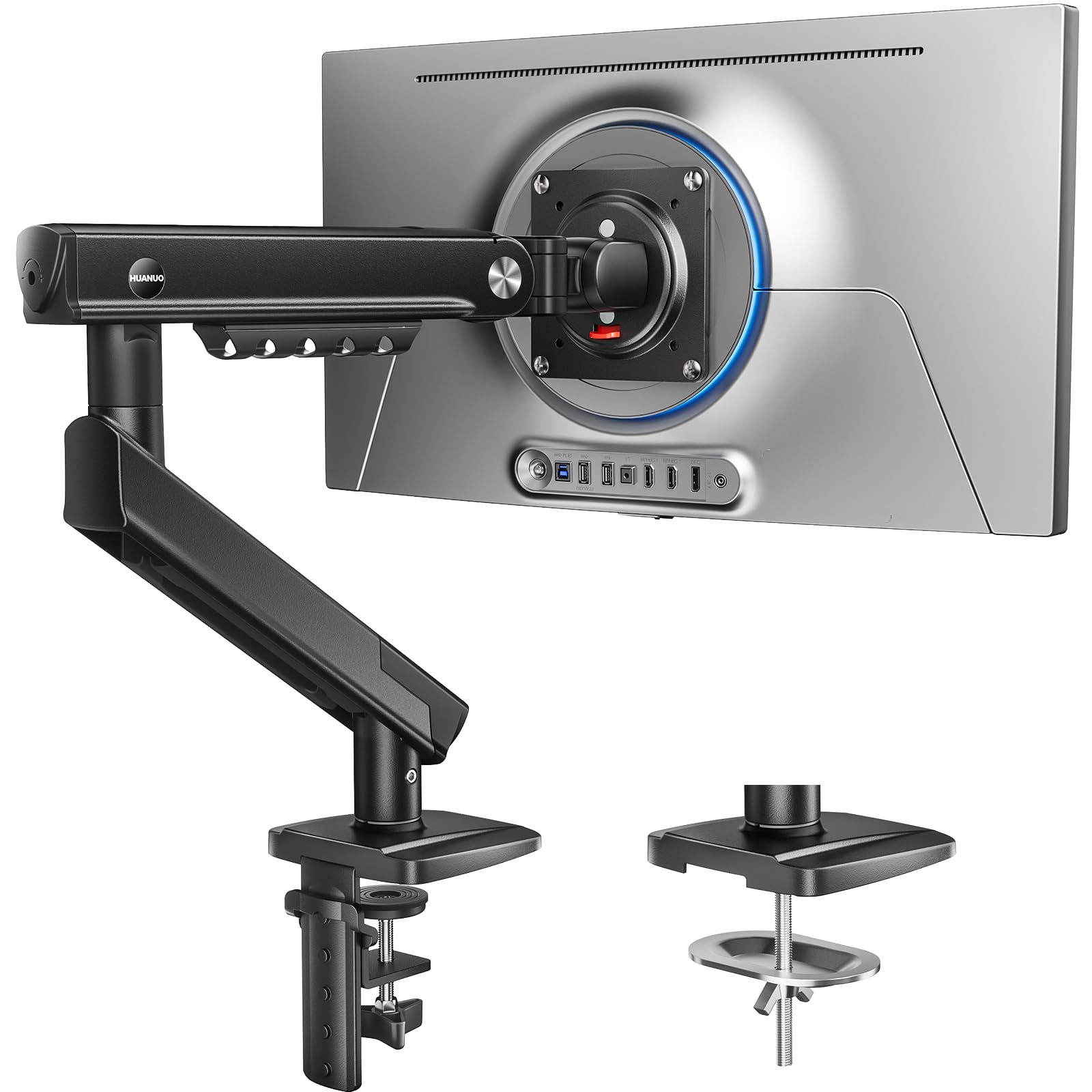
Read Amazon ReviewsHUANUO FlowLift Pro Monitor Arm
Choose the FlowLift Pro if you want a tool-free quick-release VESA attachment and a MechaSpring design. Stay with the FlowLift Single if its adjustment range and clamp-or-grommet mounting meet your needs without those setup distinctions.
- The FlowLift Pro also fits 13–32-inch screens with a maximum load of 19.8 pounds, and it adds a quick-release VESA plate and a MechaSpring arm.
- The FlowLift Single supports 13–32-inch monitors weighing 4.4–19.8 pounds and provides clamp or grommet mounting.
Computer Monitor Arms alternative
400+ ratings
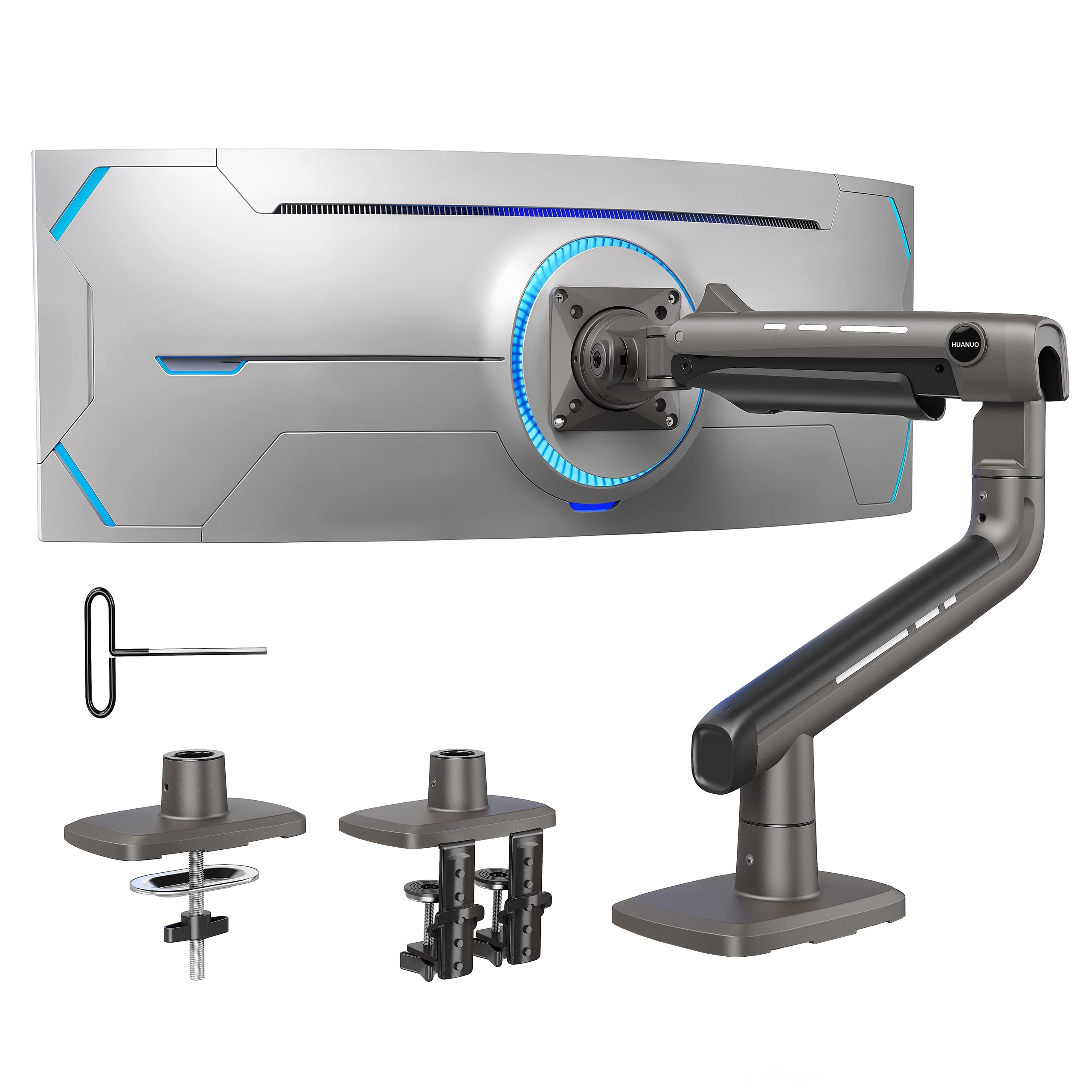
Read Amazon ReviewsHUANUO TitanLift Heavy Duty Monitor Arm
Choose TitanLift when a compatible monitor exceeds the FlowLift Single's 32-inch or 19.8-pound ceiling and remains within TitanLift's own 17–49-inch and 6.6–44-pound limits. The FlowLift Single remains suitable for screens that fit its smaller compatibility range.
- The TitanLift fits 17–49-inch displays weighing 6.6–44 pounds and is designed for larger, heavier monitors.
- The FlowLift Single is sized for 13–32-inch monitors weighing 4.4–19.8 pounds.
Is FlowLift Single Worth It?
The HUANUO FlowLift Single Monitor Mount is worth considering if you have one screen within its size, weight and VESA limits, a compatible desk, and a reason to reposition the display.
Its tilt, swivel, rotation and up-to-39.6-centimeter lift provide meaningful placement choices, while clamp or grommet mounting offers two installation routes.
Check the monitor's VESA pattern and weight, then inspect the desk thickness and underside clearance.
If those fit, this arm offers a clear mix of movement and mounting flexibility; if the display falls outside its limits or the desk blocks attachment, the fit is wrong regardless of its adjustment range.
Your review at a glance
16,000+ ratings
Read Amazon ReviewsHUANUO FlowLift Single Monitor Mount
A flexible single-screen mount for buyers whose monitor fits its size, weight and VESA limits and who want clamp or grommet installation.
- Fits monitors from 13 to 32 inches and 4.4 to 19.8 pounds.
- Supports 75 x 75 mm and 100 x 100 mm VESA patterns.
- Provides tilt from -50° to +85°, ±90° swivel and 360° rotation.
- Raises the screen up to 39.6 cm from the desktop.