This Kodak Step photo printer review looks at a compact way to turn phone photos into small, sticky-backed prints. KODAK Step pairs with iOS or Android devices over Bluetooth or NFC and uses zero-ink ZINK paper.
KODAK Step Printer Review Summary
The quick verdict

20,000+ ratings
Read Amazon ReviewsKODAK Step Instant Smartphone Photo Printer
A pocketable phone printer for turning selected photos into small, sticky-backed prints with app-based editing.
- Prints 2-by-3-inch ZINK photos with sticky-back paper.
- Connects to compatible iOS and Android devices by Bluetooth or NFC.
- ZINK 2” x 3” paper has embedded dye crystals, so printing does not require separate ink, toner, or ribbon supplies.
- The KODAK app provides filters, borders, stickers, text and collage tools.

Pros
- ZINK Zero Ink technology eliminates the need for separate ink, toner, and ribbon supplies.
- Sticky-backed prints can be placed directly in scrapbooks or on suitable surfaces.
Consider before buying
- The 2-by-3-inch output is small, so it is better suited to keepsakes and crafts than prints intended for larger display.
- A full charge supports 25 photos, so plan around recharging during longer print sessions.
Read the full review summary
KODAK Step prints selected phone photos without separate ink, toner, or ribbon supplies: ZINK Zero Ink technology uses 2” x 3” paper with embedded dye crystals, and the prints peel and stick.
Pair a Bluetooth- or NFC-enabled device for portable photo printing; the built-in rechargeable battery prints 25 photos on a full charge.
It suits scrapbookers, casual creators and travelers who value quick physical keepsakes and app customization over large-format output.
The KODAK app offers filters, borders, stickers, text and collage tools; buyers should still be comfortable with the modest 2-by-3-inch print format and a battery that supports a limited number of prints per charge.
The buying factors
KODAK Step Printer Scorecard
Editorial scores reflect listed features and buyer fit; they are not laboratory measurements or customer ratings.
Phone connectivity
Bluetooth or NFC support with iOS and Android compatibility gives buyers two pairing routes for common phone platforms.
Print format
The 2-by-3-inch sticky-back format is handy for compact keepsakes and decorating, though it is intentionally small.
Ink-free workflow
ZINK Zero Ink technology eliminates the need for separate ink, toner, and ribbon supplies, while dye crystals embedded in the paper form the prints.
App editing
The app offers several ways to personalize a photo before printing, including filters, text and collage creation.
Portability
Its palm-sized form and rechargeable battery make it suitable for taking along, while its per-charge capacity favors shorter print sessions.
Print protection
A protective coating is intended to help resist smudges, rips and water damage, a useful feature for prints handled or displayed casually.
Key Features and Specifications of KODAK Step Printer
- Prints 2-by-3-inch ZINK photos with sticky-back paper.
- Connects to compatible iOS and Android devices by Bluetooth or NFC.
- ZINK 2” x 3” paper has embedded dye crystals, so printing does not require separate ink, toner, or ribbon supplies.
- The KODAK app provides filters, borders, stickers, text and collage tools.
- The palm-sized printer weighs less than a pound.
- Its built-in rechargeable lithium-ion battery supports 25 photos on a full charge.
- The prints have a protective coating intended to resist smudges, rips and water damage.
Pros and Cons of KODAK Step Printer
Pros
- ZINK Zero Ink technology eliminates the need for separate ink, toner, and ribbon supplies.
- Sticky-backed prints can be placed directly in scrapbooks or on suitable surfaces.
- Bluetooth and NFC provide flexible pairing options for iOS and Android devices.
- The editing app supports collages and several kinds of photo personalization.
- A rechargeable battery and palm-sized body suit portable use.
Consider before buying
- The 2-by-3-inch output is small, so it is better suited to keepsakes and crafts than prints intended for larger display.
- A full charge supports 25 photos, so plan around recharging during longer print sessions.
- For buyers who care about print color and detail, check sample prints in person or from a trusted source before relying on it for important photos.
Who Should Buy KODAK Step Printer?
Good fit
Choose KODAK Step if you want a portable way to print small phone photos you can peel and stick.
It pairs with Bluetooth- or NFC-enabled smart devices, and ZINK 2” x 3” paper with embedded dye crystals avoids separate ink, toner, and ribbon supplies.
It is a good match for scrapbookers and casual creators who want to personalize images before printing. The app's collages, stickers, filters, borders and text can support small creative projects without needing separate editing software.
Who should skip it
Skip it if your main goal is larger photo output: the printer is designed for 2-by-3-inch prints, which may feel restrictive for framing or prominent wall display.
It may not fit buyers planning many prints away from a charger, since the rechargeable battery supports 25 photos on a full charge.
KODAK Step Printer Review: What the Compact Format Means
A small print for keepsakes
The 2-by-3-inch format naturally fits wallet-style keepsakes, scrapbook pages and small labels more readily than large display prints.
Its sticky backing makes placement convenient, but buyers should decide whether this compact size matches how they plan to use their photos.
The ZINK supply tradeoff
ZINK Zero Ink technology uses paper with embedded dye crystals, removing separate ink, toner, and ribbon supplies from the printing routine. Keep ZINK paper on hand for continued printing.
Editing before printing
The KODAK app adds a creative step before output, with collages and personalization tools such as filters, borders, stickers and text.
This makes the printer more useful for prepared snapshots and craft projects than for buyers who only need a basic print button.
Portable sessions and battery planning
The compact body and built-in rechargeable battery support portable printing, while the stated capacity of 25 photos per full charge makes session length a practical consideration.
It is sensible to recharge before an event or outing where multiple prints are planned.
Alternatives to KODAK Step Printer
Sticker-print alternative
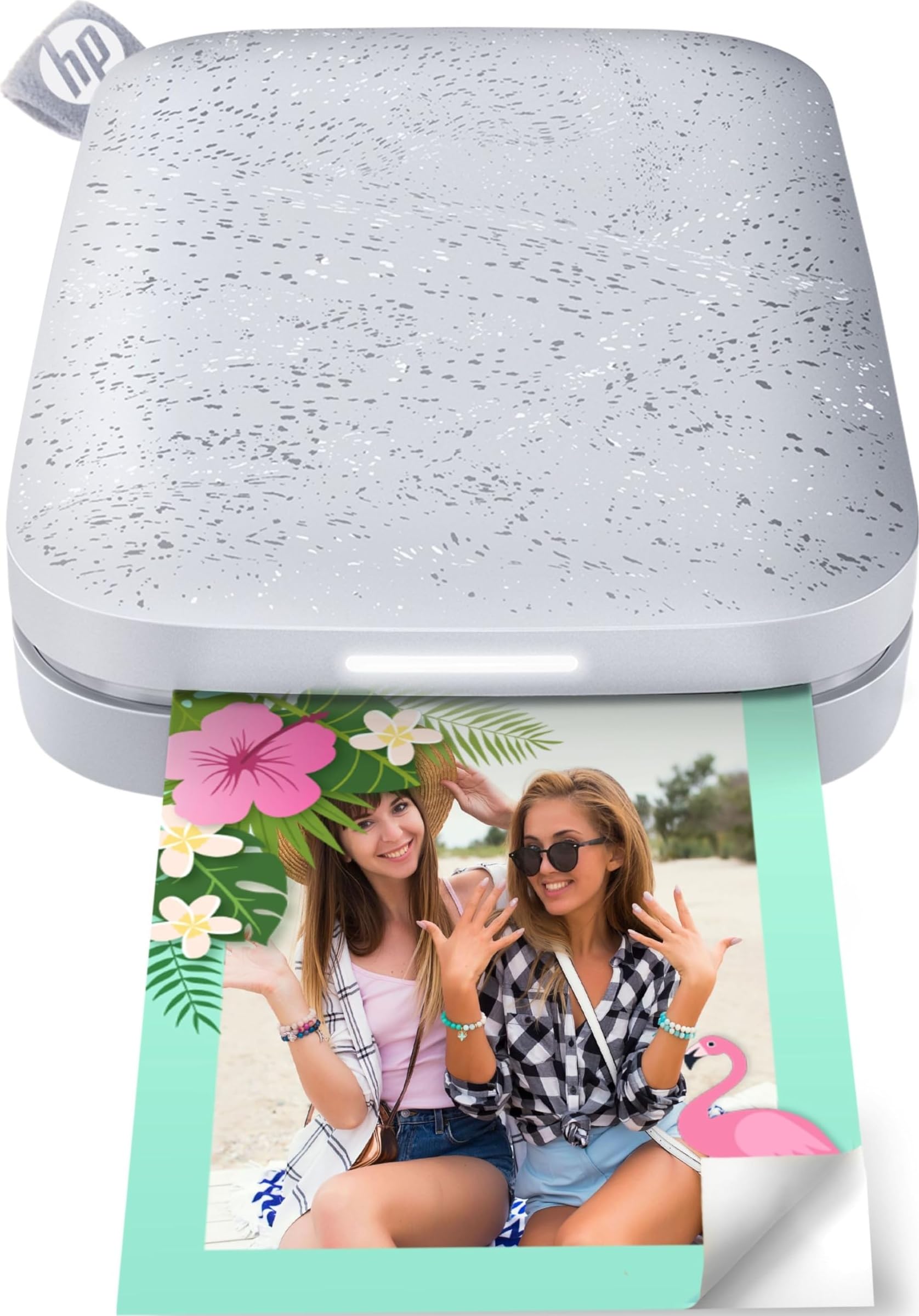
25,000+ ratings
Read Amazon ReviewsHP Sprocket Portable Photo Printer (2nd Edition)
Prefer HP Sprocket 2nd Edition if shared printing from several devices and an indicator for whose photo is printing matter to your group. KODAK Step offers Bluetooth or NFC phone pairing and compact sticky-back output for individual printing.
- HP Sprocket 2nd Edition supports printing from multiple devices at the same time and uses Bluetooth 5.0; its sticky-backed prints are also 2 by 3 inches.
- KODAK Step uses 2-by-3-inch sticky-back paper and can pair with an iOS or Android device by Bluetooth or NFC.
Portable Photo Printers alternative

25,000+ ratings
Read Amazon ReviewsHP Sprocket Select 2.3x3.4 Instant Photo Printer
Choose HP Sprocket Select if its larger 2.3-by-3.4-inch print size or tag-to-print workflow better suits your needs. KODAK Step is the smaller-format choice, with Bluetooth or NFC connectivity and 2-by-3-inch sticky-back paper.
- HP Sprocket Select prints 2.3-by-3.4-inch photos and connects to iOS and Android devices over Bluetooth 5.1. Its app also supports a tag-to-print feature for finding social photos.
- KODAK Step prints small 2-by-3-inch photos on sticky-back paper and connects with iOS or Android devices by Bluetooth or NFC.
Is KODAK Step Printer Worth It?
KODAK Step is worth considering for portable phone printing, scrapbook projects, or snapshots you can personalize in the KODAK app and peel and stick.
It pairs with Bluetooth- or NFC-enabled smart devices, and its built-in rechargeable battery prints 25 photos on a full charge.
Buy it when compact output and creative editing matter more than larger prints or extended sessions between charges. If those limits fit your plans, KODAK Step offers a straightforward route from a phone image to a peel-and-stick photo.
Your review at a glance
20,000+ ratings
Read Amazon ReviewsKODAK Step Instant Smartphone Photo Printer
A pocketable phone printer for turning selected photos into small, sticky-backed prints with app-based editing.
- Prints 2-by-3-inch ZINK photos with sticky-back paper.
- Connects to compatible iOS and Android devices by Bluetooth or NFC.
- ZINK 2” x 3” paper has embedded dye crystals, so printing does not require separate ink, toner, or ribbon supplies.
- The KODAK app provides filters, borders, stickers, text and collage tools.